
Your words, sung
In lyrics mode, the text you paste is used as the song's lyrics, not as a description. The AI sets those lines to a melody and sings them.
Already have lyrics? Paste them in, pick a genre, mood and vocal preference, and the AI turns your lyrics into a song with a melody, a sung vocal and a full arrangement. Each creation gives you two takes to compare.
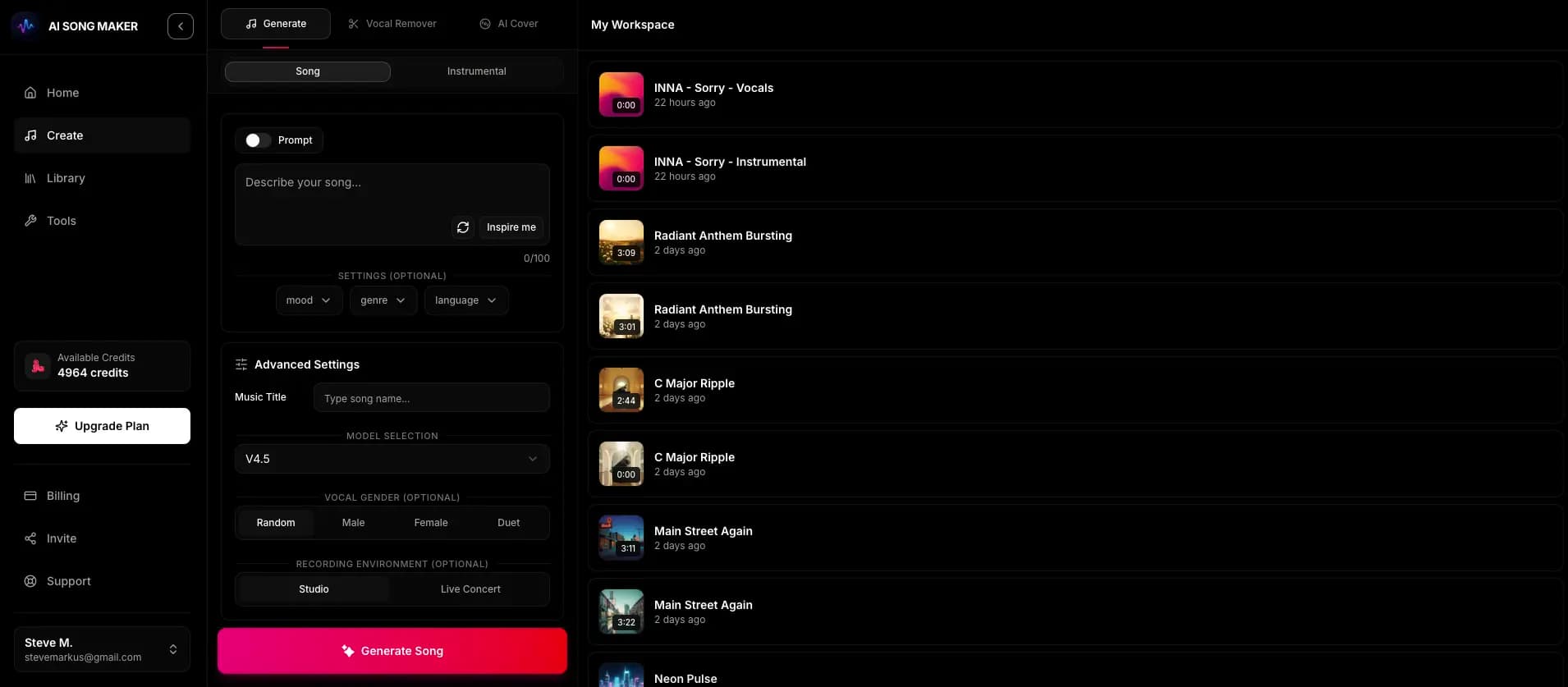
The lyrics workflow lives on the Create page after you sign up. A creation usually takes a minute or two.
Choose the song-with-vocals mode and switch the text box from describing a song to writing your own lyrics.
Paste up to 5,000 characters and mark sections with tags such as [Verse] and [Chorus] on their own lines.
Pick a genre and mood, choose a male or female vocal preference, and add a title if you like.
Create the song for 2 credits. Two versions appear in your Library, where you can listen and pick your favorite.
This page is for people who already have words on the page: a poem you want to hear sung, a verse from your notebook, a birthday song for a friend, or a demo idea you want to test before recording. The AI does not rewrite your lyrics. It composes a melody around them and performs them with a generated voice. If you are starting from a blank page, the free AI Lyrics Generator can help you draft something first.
In lyrics mode, the text you paste is used as the song's lyrics, not as a description. The AI sets those lines to a melody and sings them.
You choose the genre and mood and can set a male or female vocal preference. You can also give the track a title so it is easy to find later.
Every creation costs 2 credits and returns two versions. Listen to both in your Library and keep the one that fits best.
The AI reads structure from the way you lay out your text. Short section tags on their own line work well as cues. The model generally uses them to shape the song, although it may not follow every tag exactly.
Both versions use the same lyrics and the same settings. What differs is the interpretation: the melody, the phrasing of each line, the arrangement and the character of the vocal performance. One take might be sparse and slow, the other fuller and more upbeat. If neither fits, adjust the genre or mood and create again, which costs another 2 credits.
The same line can be sung on a different melody, stretched over more notes or delivered faster. This is often where the biggest difference lies.
Instrument choices, intro length and energy build-up can vary between takes, even with identical style settings.
Length varies from one generation to the next and is not fixed in advance. Very long lyrics are not guaranteed to be sung in full.
Generated vocals sometimes misread unusual words, names or abbreviations. Small edits to the text usually fix it on the next try.
The same lyrics can land very differently depending on the style you choose. A few common starting points:
Two short verses with names and inside jokes, plus a simple repeated chorus. An upbeat acoustic pop style keeps it warm and easy to sing along to.
Hear how a chorus sits over two different grooves before you book studio time. Compare the two versions to see which melody idea is stronger.
Add [Verse] and [Chorus] tags to an existing poem, repeat the most memorable stanza as a chorus, and try a slow, cinematic mood.
Turn a list of facts into rhyming couplets with a catchy hook. Short lines and a bright pop style make the words easier to remember.
You paste your own lyrics into lyrics mode, choose a genre, mood and vocal preference, and create. The AI composes a melody and arrangement around your words and sings them. Each creation costs 2 credits and returns two versions.
Lyrics mode accepts up to 5,000 characters. That is more than most songs need. Very long lyrics may not all fit into the generated track, so trimming to the sections you care about most often gives better results.
No, but they help. Tags on their own lines give the AI clear cues about where sections start and which part should feel like a chorus. The model usually follows them, but not always exactly.
It is designed to sing the lyrics you provide rather than rewrite them. Occasionally a word is mispronounced or a line is skipped. Spelling tricky words phonetically or shortening long lines usually helps on the next creation.
You can set a male or female vocal preference and shape the sound through genre and mood. The voice is AI-generated. You cannot pick or imitate a specific real artist.
Free accounts can listen in the app. Downloading audio requires a paid plan. Commercial use needs a Pro or Studio plan and a song-specific Content Usage License generated from your Library.
Sign up, paste your words, and hear two versions of your lyrics as a song. New accounts get free starter credits to try it (the amount can vary by country).
Turn My Lyrics into a Song