
Study and focus sessions
Ask for low-contrast music: soft piano, ambient pads, slow and even. Mention that it should avoid sudden changes so it doesn't pull attention.
Describe a mood and a set of instruments, switch vocals off, and get two new instrumental tracks to choose from. Built for creators who need music that stays out of the way of words.
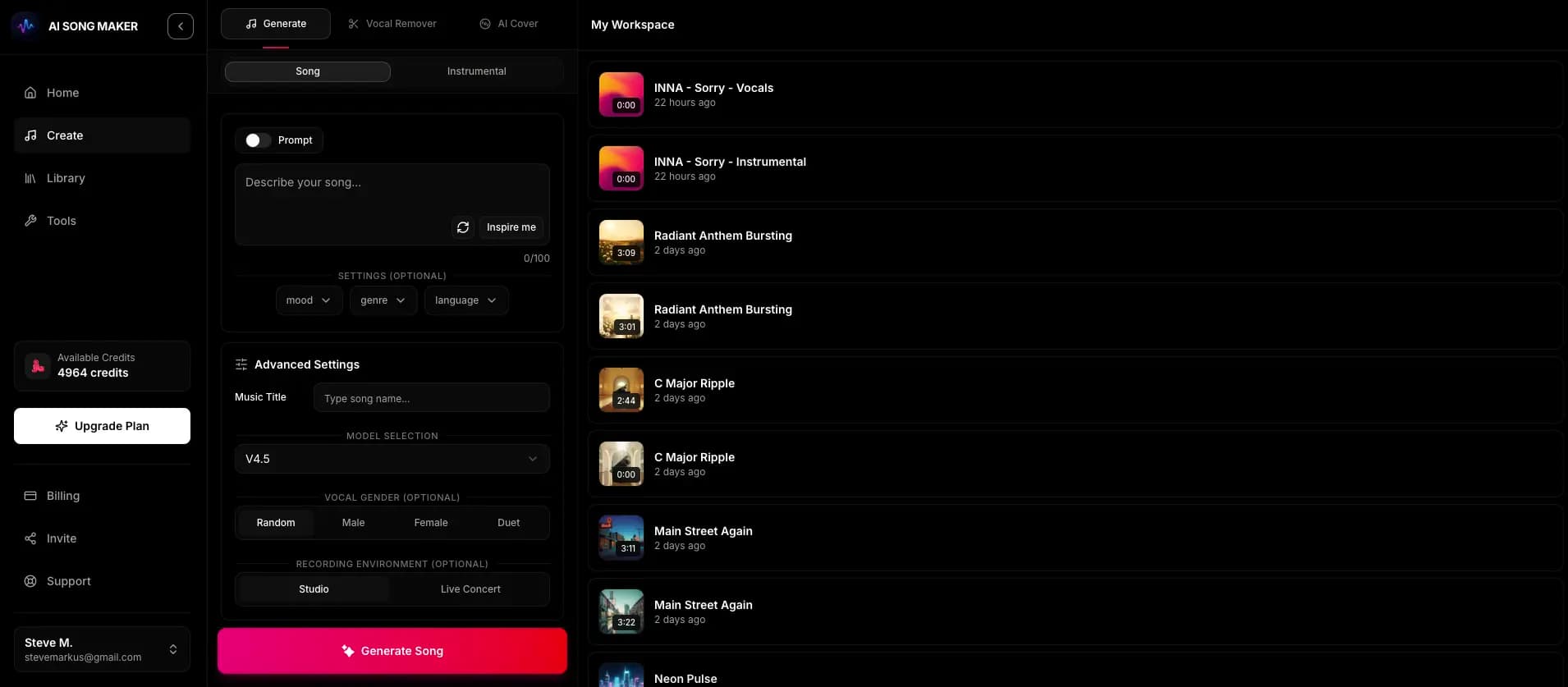
Sign up with email or Google, open the creator, and follow these steps.
Write the genre, mood, lead instruments and energy level, plus where the music will be used.
This tells the AI to skip vocals entirely, so you get music only.
Each creation costs 2 credits and returns two versions, usually in a minute or two. Keep the one that fits and rerun with a tweak if needed.
People sometimes search for an instrumental maker when they want to remove the singer from an existing song. That's a different job. This AI instrumental generator composes a brand-new piece from your description, so there's no source track involved and nothing to separate.
Ask for low-contrast music: soft piano, ambient pads, slow and even. Mention that it should avoid sudden changes so it doesn't pull attention.
Tutorials, vlogs and product walkthroughs need music that leaves room for speech. Keep the arrangement light and the energy steady.
Describe a short, recognizable motif with a clear start and a clean ending, and reuse the version that best matches your show's tone.
Retro chiptune, calm fantasy harp or tense sci-fi pulses: name the setting and say you want something that loops comfortably.
Guitarists, singers and dancers can generate a backing groove in a chosen style to rehearse over. Tempo words guide the feel but aren't exact BPM settings.
Use these with the instrumental switch on. Change the instruments or setting to match your project.
Calm neoclassical piano with soft felt tone, distant string pads and gentle room ambience, slow and even, no sudden changes, for long study sessions.
Short upbeat intro with punchy funk bass, crisp drums and a bright horn motif, confident and friendly, clear ending, for a news podcast opener.
Cheerful 8-bit chiptune with square-wave melody, bouncy bass and simple drums, carefree mood, loops smoothly, for a retro game village theme.
Slow shuffle blues backing track with organ, walking bass and brushed drums, relaxed groove, leaves space for a lead guitar to solo over.
Light acoustic instrumental with nylon guitar, marimba and soft shaker, warm and homey, steady medium tempo, sparse enough to sit under a cooking voice-over.
No. It creates new instrumental music from a text prompt. It doesn't separate or remove vocals from existing recordings.
Turn on the instrumental switch before you generate. Adding phrases like "no vocals" to your prompt isn't necessary when the switch is on, but describing the lead instrument helps the melody feel intentional.
No. Each result is a finished, mixed audio file. There's no stem export, MIDI export or multitrack editing.
The same as any creation: 2 credits for two versions. New accounts get 2 free starter credits (fewer in some countries), so you can try one creation before choosing a plan.
Downloading requires any paid plan. For commercial projects, such as monetized videos, ads or client work, you need a Pro or Studio plan, which lets you generate a song-specific, non-exclusive Content Usage License from your Library, subject to its terms.
Each generation is new, but we don't claim it's one of a kind. Similar music may be generated for other users, and the license is non-exclusive. We also can't guarantee how Content ID or similar systems will treat a track.
Describe it, switch vocals off, and pick the better of two instrumental takes.
Make an Instrumental