
Theme first
Describe the idea in up to 500 characters. Concrete details, like a place, a time of day or a specific object, give more personal lyrics than abstract words.
Describe what your song is about, pick a genre, mood, language and writing style, and get structured lyrics with verses and a chorus. It is free for signed-in users, uses no credits, and the lyrics stay fully editable.
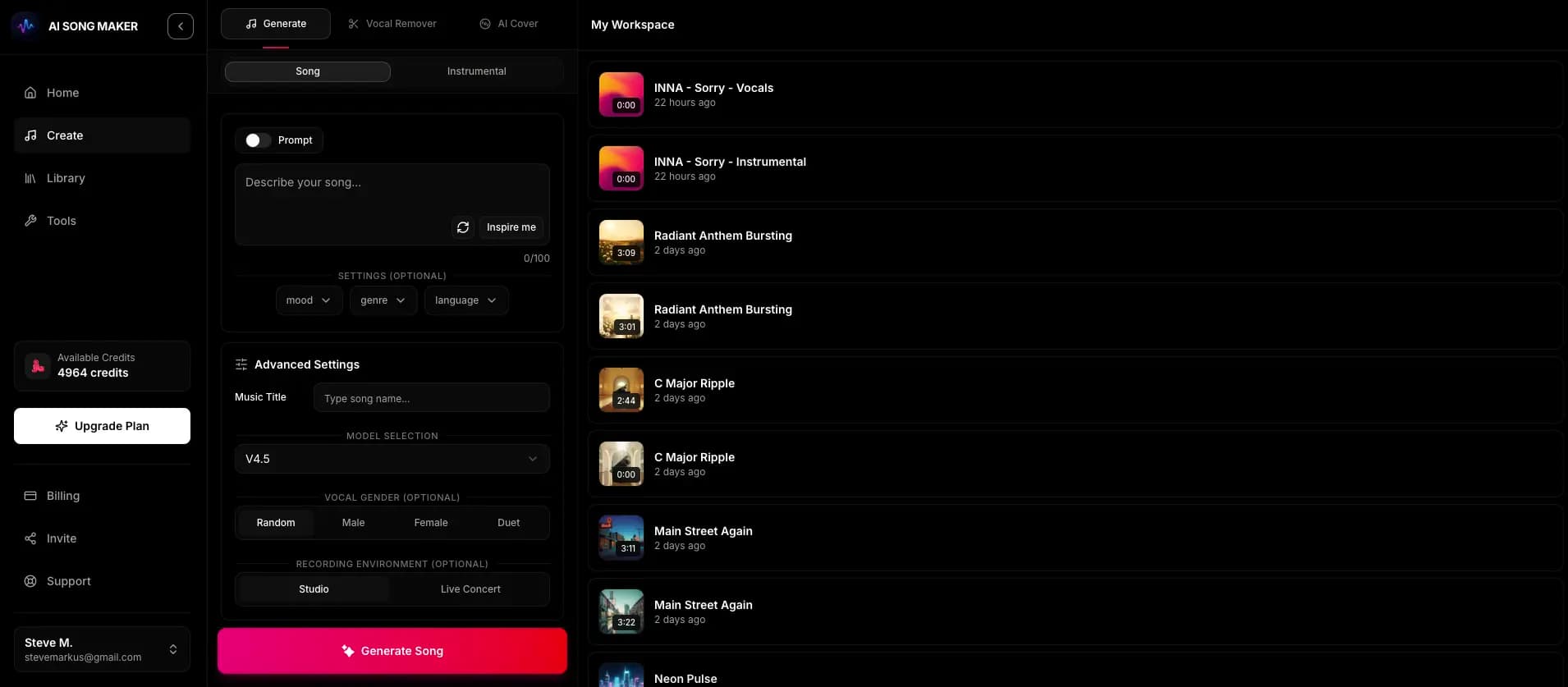
The tool is inside the app for signed-in users. Nothing is charged until you decide to create a song.
Write what the song is about in a sentence or two, for example "a late train home after a long shift, missing someone in another city".
Pick genre, mood, language, writing style and song structure, then generate your lyrics for free.
Change lines directly in the editor. Fix rhymes, even out syllables and make the chorus hook short and repeatable.
Use Create Song with These Lyrics to open the draft in lyrics mode, then create the song for 2 credits.
Songwriter AI tools are most useful when they give you a first draft to react to. You write one or two sentences about the song, such as a moment, a feeling or a story, and the generator returns lyrics organized into sections. You stay the songwriter: keep what works, rewrite what does not.
Describe the idea in up to 500 characters. Concrete details, like a place, a time of day or a specific object, give more personal lyrics than abstract words.
Choose a genre, a mood, a language and a writing style such as Modern, Poetic, Catchy, Emotional, Storytelling or Simple.
Let the AI decide, or choose a layout such as verse-chorus-verse-chorus, a version with a pre-chorus, or one with a bridge before the last chorus.
Writing lyrics does not cost credits. You only need to be signed in. To keep the tool available for everyone, generation is rate-limited, so if you send many requests in a short time you may be asked to wait before trying again. Credits are only used when you turn lyrics into a song, at 2 credits per creation.
A generated draft is a starting point. A few minutes of editing makes the difference between lyrics that read well and lyrics that sing well.
Swap obvious rhyme pairs for near rhymes or internal rhymes. Rhyme is useful, but a line that says something real beats a perfect rhyme.
Matching lines in a verse should have roughly the same number of syllables. Read them out loud and trim any line that feels crowded.
The chorus should contain one short, repeatable phrase. If the generated chorus has several ideas, keep the strongest and repeat it.
Replace generic images with things only you would write: a street name, a specific memory, a phrase someone actually said.
When you are happy with the words, choose Create Song with These Lyrics. Your text opens in the Create page in lyrics mode, where you choose the style and vocal preference. The tool itself does not keep a history of drafts, so copy any version you want to keep before generating another.
The more specific the idea, the more specific the lyrics. These starting points show the level of detail that works well.
"Packing the last box from the apartment we shared, finding a note in a coat pocket." Try a Storytelling style and a verse-chorus-bridge structure.
"Windows down, a cheap speaker, singing off-key on the coast road." A Catchy style with a pre-chorus builds up to a big hook.
"5 a.m. alarms, sore legs, and the moment the finish line comes into view." A Modern style over a hip-hop or rock genre keeps the energy high.
"Soft night-light, a small hand holding a finger, promises for the future." Choose a Simple style and a calm mood for short, gentle lines.
Yes. It is free for signed-in users and does not use credits. Generation is rate-limited, so you may need to wait briefly after many requests in a row. Turning the lyrics into a song costs 2 credits.
It works best as a drafting partner. It can suggest structure, rhymes and images quickly, but the lyrics that connect with listeners usually include details only you know. Edit the draft before you use it.
The generator has a language setting, so you can request lyrics in a language other than English. Check the dropdown in the tool for the current options.
Yes. The lyrics appear in an editable box. You can change any line, copy the text, or send it straight into song creation.
Select Create Song with These Lyrics. The Create page opens in lyrics mode with your text filled in. Choose a genre, mood and vocal preference, then create for 2 credits to get two versions.
Copy any draft you want to keep. When you create a song with the lyrics, the finished track is saved in your Library.
Sign up to draft lyrics for free, edit them your way, and send them to Create when you are ready to hear them sung.
Write Lyrics for Free