
Genre
Name one main style and, if you like, one influence: "indie folk with a touch of Americana" is clearer than a list of five genres.
Write a sentence or two about the sound you want, and Music AI Generator turns that text into music. Each creation gives you two versions to compare, with or without vocals.
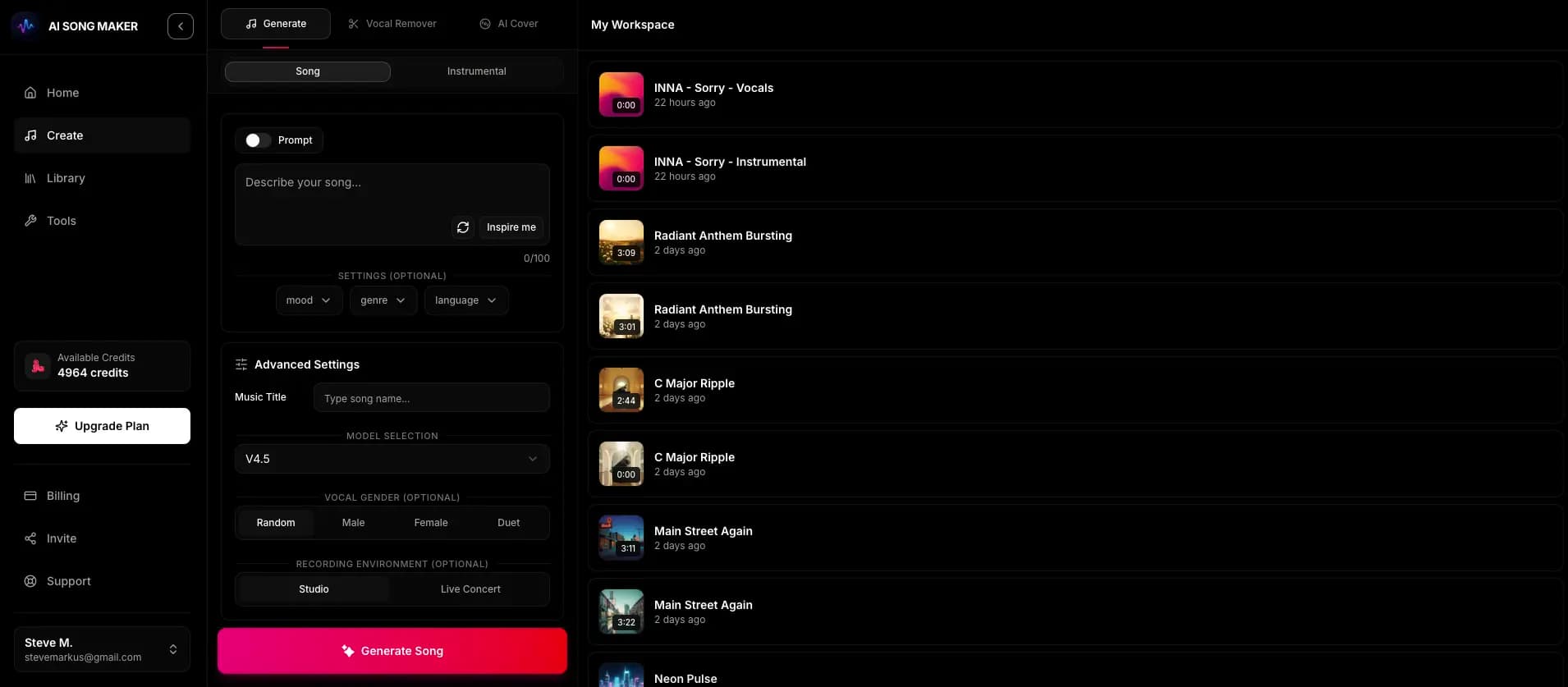
Everything happens in the browser after you create an account with email or Google.
In Describe it mode, type the genre, mood, instruments, energy and purpose of the track in plain English.
Keep vocals on for a sung track, pick a vocal preference, or flip the instrumental switch for music only.
One creation uses 2 credits and usually takes a minute or two. Both takes land in your Library.
Listen to both. If neither fits, change one part of the prompt, such as the instruments or the energy, and try again.
The AI reads your description as creative direction, not as a strict recipe. Covering these six areas usually gets you closer on the first try than a single genre word does.
Name one main style and, if you like, one influence: "indie folk with a touch of Americana" is clearer than a list of five genres.
Pick two or three feeling words that point the same way, such as hopeful, warm and unhurried. Contradicting moods tend to blur the result.
Mention the sounds you want to hear up front: fingerpicked acoustic guitar, brushed drums, a cello line, analog synth pads.
Words like slow, mid-tempo, driving or building give the model a direction. Treat any BPM you write as a hint it interprets, not an exact setting.
If shape matters, say so: a quiet intro that builds, a big final chorus, or a steady loop with no dramatic changes.
Telling it where the music will live, such as a wedding slideshow, a workout clip or a game menu, helps it choose sensible pacing and density.
The same prompt can come back as a song with singing or as pure music, depending on a couple of choices you make before generating.
Knowing the boundaries saves credits and frustration.
Copy one of these into the prompt box, then swap in your own details. Each one covers genre, mood, instruments, energy and purpose.
Light acoustic pop with ukulele, hand claps and a whistled melody, cheerful and easygoing, mid-tempo, steady from start to finish, for a travel vlog montage.
Cinematic orchestral piece that opens with a lone piano and low strings, grows tense with pulsing percussion, then lands on a wide brass climax, for a short film trailer.
Dreamy indie rock with chorus-drenched guitars, warm bass and soft female vocals about leaving the city at night, wistful but hopeful, relaxed tempo with a lifted final chorus.
Modern upbeat corporate track with bright plucked synths, soft kick and light percussion, optimistic and uncluttered, even energy with no big drops, to sit under a voice-over.
Warm country song with acoustic guitar, pedal steel and a gentle male vocal celebrating twenty years together, heartfelt and slightly playful, easy mid-tempo sway.
You type a description of the music you want, and the model generates an original track that follows that direction. It interprets genre, mood, instruments and energy words together, then returns two versions to your Library, usually within a minute or two.
One to three sentences is usually enough. Aim to cover genre, mood, a few instruments, energy and where the music will be used. Very long prompts with conflicting ideas tend to produce muddier results than a focused description.
Only in whether you want singing. With vocals on, your text becomes a song with AI-written lyrics. With the instrumental switch on, it becomes music without vocals. If you want specific words sung, use lyrics mode instead of a description.
Each creation costs 2 credits and returns two versions. New accounts receive 2 free starter credits (the amount can be lower in some countries), which covers one creation. Paid plans add weekly or monthly credits.
Free accounts can listen to their tracks in the app. Downloading audio requires a paid plan, which also unlocks the V6 Pro and V6 Studio model options.
Pro and Studio subscribers can generate a song-specific, non-exclusive Content Usage License from the Library for eligible commercial projects, subject to its terms and any third-party rights. Starter, Basic and free-credit use don't include that license. See the Music Usage & Licensing page for details.
Create an account, describe the track in a sentence or two, and compare the two versions the AI makes.
Start Creating